
MCOMP
Vintage 1176 Style Fast Studio Compressor
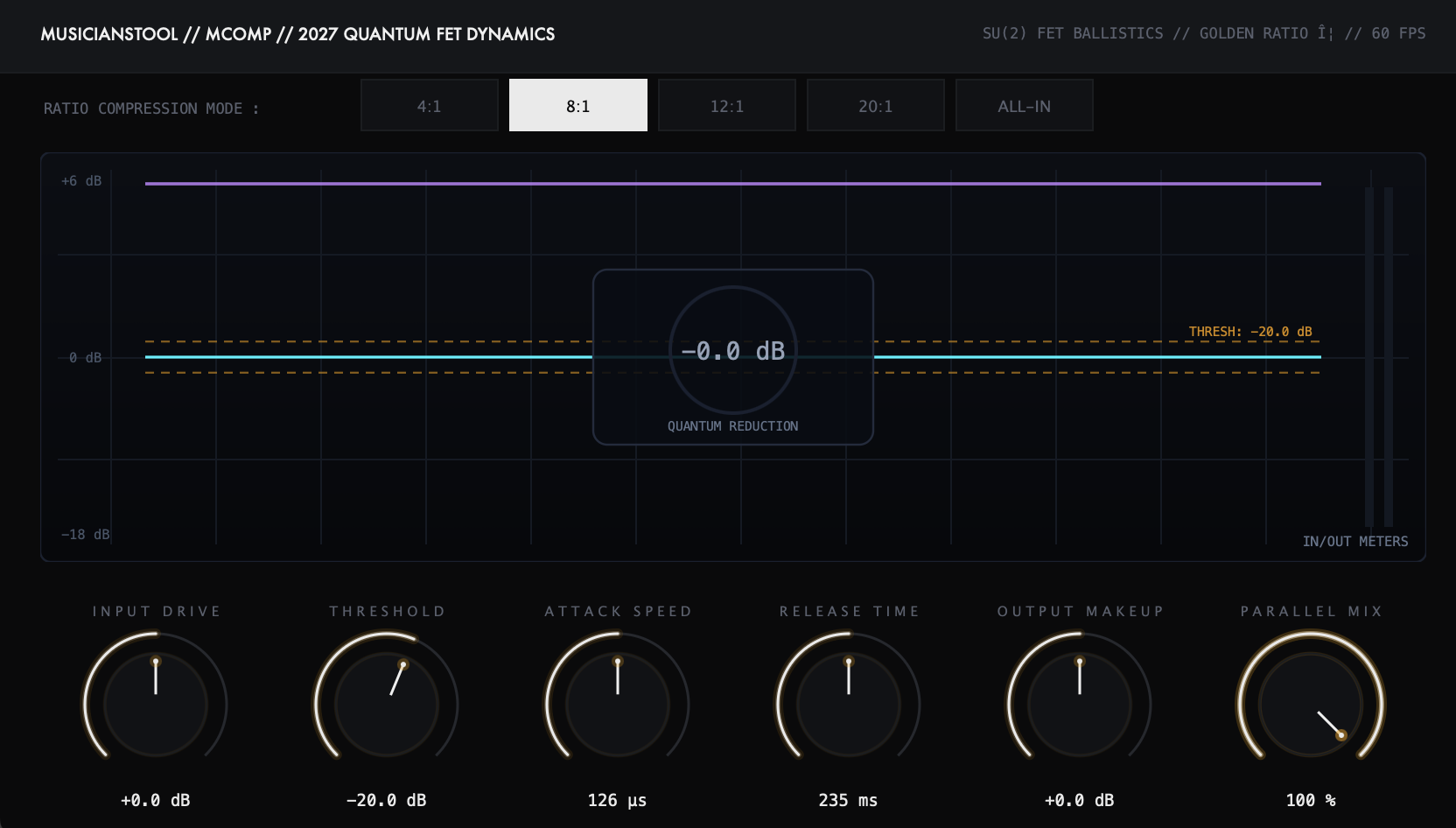
MCOMP is a modern, zero-latency audio plugin designed to make your tracks sound polished, punchy, and professional in seconds. Built natively in C++ for macOS (Apple Silicon M1–M4) and Windows 10/11, it uses under 0.3% CPU, requires zero iLok dongles or background software, and operates 100% offline with a perpetual lifetime license.
Zero-Latency Native DSP • 64-Bit Float Precision • 44.1kHz - 192kHz- Studio Function
- Blazing-Fast 1176 Style Studio FET Compressor
- Latency Specification
- 0 Samples (< 0.1ms Live Monitoring)
- Copy Protection
- 100% Offline Key File (.zenlic) • Zero iLok
- Supported Formats
- VST3 (64-bit), AU (v2/v3), CLAP
- Licensing Model
- $9.99 Perpetual (5 Activations)
- System Efficiency
- < 0.3% CPU • Under 15MB RAM • 10ms Load
Blazing-Fast 1176 Style Studio FET Compressor
MCOMP catches unruly transients in microseconds, delivering explosive drum punch, in-your-face vocal aggression, and rock-solid bass.
Microsecond Attack
Grabs fast transients instantly for aggressive, controlled modern drum smack.
All-Buttons Slam Mode
Crank the ratio for explosive, crunchy room mic and parallel drum bus excitement.
In-Your-Face Vocals
Locks vocalists right at the forefront of the speaker with zero pumping artifacts.
How MCOMP Fits Your Production Flow in 3 Steps
Drop On Your Track
Instantly load on your vocal track, drum bus, or master fader in Ableton, Logic, FL Studio, or any DAW.
Dial in the Sweet Spot
Turn the main controls. Every setting is pre-calibrated for modern commercial sound — zero guesswork.
Lock in the Vibe & Release
Hear your track transform immediately, keep your songwriting momentum alive, and finish more songs.
Modern Audio Tools vs Legacy Software Bloat
Why thousands of modern producers are switching from expensive monthly subscriptions to Musicianstool.
Musicianstool vs Legacy Commercial Audio Plugins
| Key Feature | Musicianstool (MCOMP) | Legacy Plugin Suites (Waves / Antares / Slate) | Why It Matters to You |
|---|---|---|---|
| Pricing & Ownership | $9.99 Perpetual Lifetime License | $15 - $30 / month recurring subscriptions or $240/yr WUP update plans | Buy once, own forever — never get locked out of your sessions |
| Copy Protection / DRM | 100% Offline Key File (.zenlic) • 5 Activations | Mandatory PACE iLok USB / Cloud Background Daemon | Zero session crashes, zero internet needed on stage or in studio |
| Processing Latency | 0 Samples (< 0.1ms True Real-Time) | 64 - 256 Samples Buffer Delay | Record vocals and live instruments with zero distracting delay |
| CPU & Memory Footprint | < 0.3% CPU • 10ms Load Time (Pure Native C++) | 2% - 8% CPU • 200MB - 600MB Webview Bloatware | Run 50+ instances on any laptop with zero fan spin or stutter |
Studio & Compatibility FAQ
Will MCOMP work in my DAW on Mac and Windows?
Yes! MCOMP comes in 64-bit VST3, AU (v2/v3), and CLAP formats. It runs smoothly on Ableton Live, Logic Pro, FL Studio, Reaper, Cubase, Studio One, Bitwig, and all major DAWs on both macOS (Apple Silicon M1–M4 & Intel) and Windows 10/11.
Do I need an iLok USB dongle or constant internet connection?
Never. We believe copy protection should never get in the way of making music. MCOMP uses a clean offline license key file (.zenlic). No background spyware, no iLok dongle, and no internet checks during your studio sessions.
How many computers can I install my license on?
Every license allows installation on up to 5 personal computers across both Mac and Windows, so you can produce seamlessly on your studio desktop and travel laptop.
Can I try MCOMP before purchasing?
Absolutely! You can download the free trial right now using the download buttons at the top of the page. Test it on your own vocal tracks and mixes in your DAW with zero commitment.